


Pool Swimming vs Open-Water Swimming: Choosing a GPS Watch in Oman

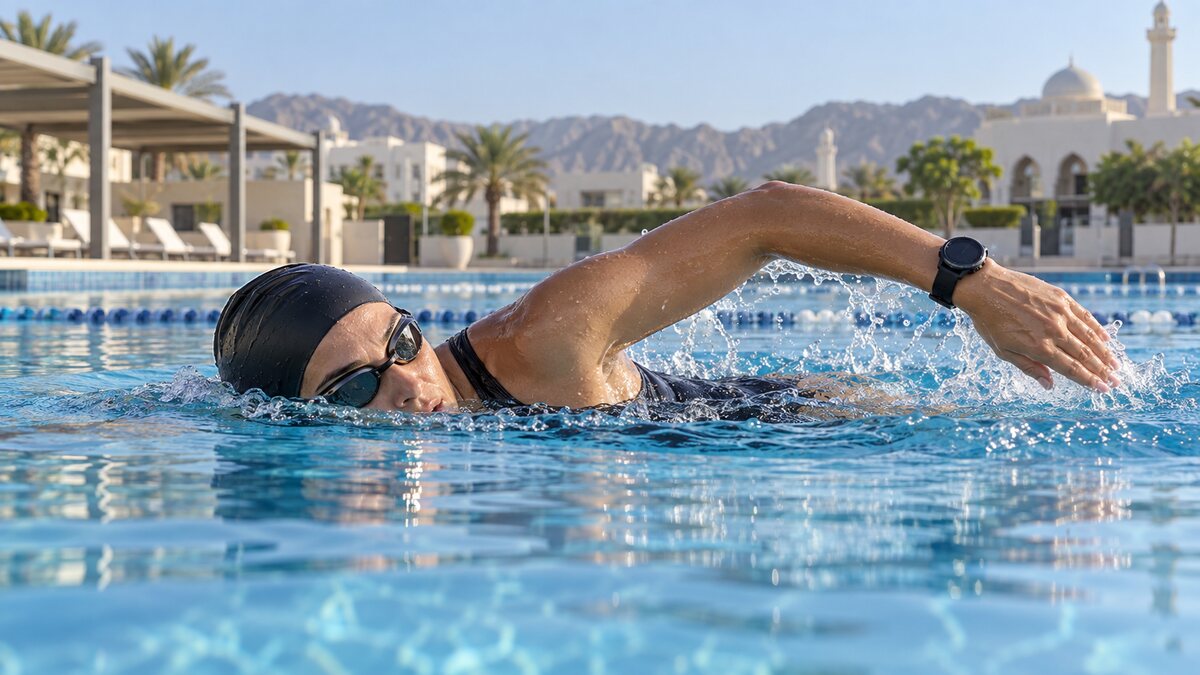
A sports watch does not record every swimming activity in the same way.
In a pool, the watch normally calculates distance from the pool length and the number of detected turns. In open water, it uses satellite positioning whenever the watch emerges from the water during each stroke cycle.
Understanding this difference helps swimmers choose the correct activity mode, improve recording accuracy and select a suitable swimming GPS watch in Oman.
Pool Swim and Open Water Are Different Modes
Using the correct profile is essential.
Pool-Swim Mode
Pool mode is designed for swimming repeated lengths in a pool with a known distance. Depending on the watch, it may record:
- Pool lengths
- Total distance
- Interval pace
- Stroke count
- Stroke rate
- Stroke type
- Rest periods
- SWOLF
- Heart rate
The watch normally does not use GPS to calculate each pool length. Instead, its motion sensors identify swimming movements and changes of direction at the wall.
Open-Water Mode
Open-water mode is designed for swimming in the sea, lakes and other outdoor locations.
It may record
- GPS route
- Distance
- Elapsed and moving time
- Pace
- Stroke count and rate
- Stroke distance
- SWOLF or efficiency information
- Heart rate
- Navigation data on selected models
Because satellite signals do not travel effectively through water, route accuracy depends partly on how frequently the watch reaches the surface.
How Pool Distance Is Calculated
Before beginning a pool workout, enter the correct pool length. Common options include 25 metres, 50 metres, 25 yards, 33⅓ metres or a custom distance on compatible watches. Garmin and COROS both instruct users to set pool length before starting; COROS detects turns with its internal sensors. If the wrong length is selected, each detected lap is converted into the wrong total distance.
Why Pool Watches Sometimes Miss or Add Lengths
The watch needs to recognise a clear transition at the pool wall. Incorrect totals can result from stopping mid-length, changing stroke partway across the pool, gentle or inconsistent turns, moving the watch arm while resting, starting the next length without a clear push-off, using pool mode in an endless pool, entering the wrong pool length or doing kick drills without normal arm movement.
Make turns easier to detect
You do not need a competitive flip turn, but push away from the wall firmly and glide briefly before starting the next stroke cycle. Use the watch’s rest or lap control where appropriate, and avoid unnecessary wrist movement during rests.
Stroke-Type Detection and SWOLF
Compatible watches can identify freestyle, breaststroke, backstroke and butterfly, but drills or mixed strokes within one length can lead to an unidentified classification. SWOLF combines the time and stroke count for a pool length. For example, 30 seconds plus 20 strokes gives a score of 50. Use it to compare your own similar sessions in the same pool; it is not an overall fitness score and should not be compared across different pool lengths or strokes.
Recording Drills and Structured Workouts
Kick sets and technique drills can be difficult for automatic lap detection because the watch arm may not move like a normal stroke. Some watches provide a Drill Log or dedicated drill function, allowing you to record duration and enter distance manually. Check for this feature if you regularly use kickboard sets, one-arm drills, sculling or catch-up drills.
Selected watches also support pool workouts created in their companion apps. A session can include warm-up, distance targets, stroke targets, rest periods, repetitions, drills and a cool-down. Workout and drill functions vary by model.
How Open-Water GPS Tracking Works
During freestyle, the watch alternates between being submerged and briefly exposed to the sky. It tries to acquire satellite information during the exposed part of each stroke cycle, then estimates a route from those observations. Water blocks satellite reception, so open-water tracking is more challenging than running or cycling. Starting before GPS acquisition or keeping the watch underwater for much of each stroke can distort the first section or the total distance.
Improving Open-Water GPS Accuracy
- Select Open Water mode on land and wait for a full GPS lock.
- Use a regular freestyle stroke where possible, since it raises the wrist above water more often.
- Wear the watch securely so it does not rotate.
- Start and stop while the watch is above the surface.
- Synchronise the watch before swimming so satellite data and firmware are current.
- Allow for route deviations in choppy water, near tall coastal buildings, cliffs or mountains.
Even with preparation, a recorded route may contain zigzags, missed points or straight segments. Treat consumer GPS distance as a useful estimate, not a surveyed measurement. Some manufacturers identify freestyle as the preferred stroke for their open-water distance calculations.
Heart Rate While Swimming
Many sports watches attempt to record wrist-based optical heart rate in swim mode, but water, arm movement and fit can affect results. Wear the watch just above the wrist bone and secure it enough to prevent rotation; loosen it after the swim. Some external straps store data underwater and transfer it afterwards, while live wireless transmission underwater may be limited. Confirm the exact watch-and-sensor compatibility.
Water Rating: What to Check
A watch suitable for pool swimming is not automatically suitable for every water activity. Compare its water-resistance rating, supported swim profiles, diving limits, instructions for pressing buttons underwater, saltwater-care guidance, temperature limits, strap security and microphone or speaker limitations. Follow the instructions for the precise model. Scuba diving, high-speed water sports and jumping from height can expose a watch to conditions beyond ordinary surface swimming.
Swimming in Oman: Practical Considerations
Sea swimming requires planning beyond watch selection. Check weather and sea conditions, avoid boat channels and restricted areas, swim with a partner or supervised group, use a bright cap and consider a visible tow float. Choose a route close to shore, tell someone your plan and finish time, and follow local beach-safety guidance. A recorded route or navigation screen cannot replace proper open-water safety arrangements.
Care after a saltwater swim
- Rinse the watch and strap with fresh water if the maker permits.
- Remove salt around buttons and the sensor area.
- Let the device dry and do not charge while contacts are wet.
- Inspect the strap and pins regularly.
- Do not leave it in a hot parked vehicle.
- Avoid pressing buttons underwater unless allowed by the manufacturer.
Garmin and COROS Swimming Features
When comparing Garmin models, check whether the exact watch includes Pool Swim, Open Water Swim, stroke detection, Drill Log, structured workouts, wrist heart rate in swim mode, SWOLF, triathlon mode and external heart-rate sensor support. Garmin Swim 2, for example, records pool and open-water activities with distance, pace, stroke information and SWOLF, and uses GPS, GLONASS and Galileo for supported outdoor swims. Other Garmin multisport models combine swimming with running, cycling, mapping or triathlon features.
Compatible COROS watches provide Pool Swim and Open Water profiles, though functions vary by model. Pool distance is calculated from the selected length and detected turns. Open-water recording uses GPS, with freestyle generally preferred. Check current official specifications for the exact model before buying.
Which Watch Should You Choose?
- Pool-focused watch: prioritise stroke detection, pool intervals, drill recording, structured workouts and SWOLF.
- Open-water GPS watch: prioritise route and distance recording, outdoor readability and GPS battery endurance.
- Multisport watch: choose one if you combine swimming with cycling and running, need triathlon transitions or also want navigation and recovery features.
Final Buying Checklist
- Pool Swim and Open Water modes
- Supported pool sizes and custom length
- Stroke detection, Drill Log and SWOLF
- Structured workout support
- Wrist heart rate and external sensor compatibility
- Triathlon and transition modes
- GPS battery endurance and water rating
- Button-use and saltwater-care instructions
- Strap security, local warranty and support
The best swimming watch is the one designed for your actual environment. A strong pool watch is not automatically the best open-water model, and an outdoor GPS watch may not include every pool-training tool.
Frequently Asked Questions
Does a swimming watch use GPS in a pool?
Normally, no. Pool distance is calculated from the selected pool length and detected turns.
Why did my watch add an extra pool length?
An unusual turn, mid-length pause or wrist movement during rest may be interpreted as a lap.
Can I use Pool Swim mode in the sea?
No. Use Open Water mode so the watch can attempt to record route and distance through GPS.
Why is breaststroke GPS distance less accurate?
The wrist stays underwater for more of the stroke, reducing opportunities to receive satellite signals.
Is SWOLF a measure of overall fitness?
No. It combines time and stroke count. It is most useful for comparing your own similar sessions.
Can I rely on wrist heart rate while swimming?
It can provide useful data, but water, movement and fit may affect readings. Confirm support for the exact watch and swim mode.
Can a sports watch make open-water swimming safe?
No. It is a tracking aid, not a substitute for supervision, a swim partner, visibility equipment or local safety guidance.
Where can I compare swimming watches in Muscat?
Atlas Tech Sport offers swimming and multisport GPS watches from Garmin and COROS for customers in Muscat and across Oman. Check each product page for features and availability.
Explore more at Atlas Tech Sport
Compare sports watches and read our guides to AMOLED vs MIP displays and sports-watch sizing. For compatibility and current availability, review product pages or contact Atlas Tech Sport.