








DJI Osmo Action 6 for Sport in Oman: Film Better Rides, Runs and Water Adventures

A memorable sports video puts the viewer inside the activity: the road opening ahead of your bicycle, the rhythm of a coastal run or the moment you enter the water.
For athletes considering DJI Osmo Action 6 in Oman, the important question is how to capture those moments consistently. Mounting position, light, stabilisation and a workable editing routine can matter more than choosing the highest resolution.
This guide focuses on using an action camera for cycling, running and water activities around Muscat and beyond.
Explore DJI sports cameras in Oman, or read our earlier drone and Osmo camera overview for a broader introduction.
Why Use an Action Camera for Sport?
A phone is convenient for an introduction or a finish-line photograph. A properly mounted action camera serves a different purpose: recording the athlete’s viewpoint while keeping the device out of the hands.
Before buying, think about three practical needs:
- Position: Can you mount the camera where it captures the activity clearly?
- Movement: Can your chosen recording mode control the type of shake you expect?
- Workflow: Can you comfortably transfer, edit and share the files?
An action camera is useful when this complete setup fits your sport. Owning one does not automatically produce interesting footage; a few well-planned angles usually tell a better story than an uninterrupted recording.
What Makes Osmo Action 6 Useful for Athletes?
DJI’s design combines a 1/1.1-inch square sensor, an adjustable f/2.0–f/4.0 aperture and 4K Custom capture. The square format provides room to choose a horizontal or vertical composition later, which is useful when one session needs to supply both a longer video and an Instagram Reel. DJI product overview
Leave space around the athlete when filming for multiple formats. A subject already touching the edge of the original frame may be difficult to retain in a tighter crop.
Stabilisation Needs the Right Recording Mode
RockSteady uses electronic stabilisation, including cropping the image edges. HorizonSteady adds horizon levelling. Check the resulting field of view before committing to a mount position: your handlebars or another cyclist may occupy more of the frame than expected. DJI FAQ
Stabilisation also cannot recover detail already blurred during exposure. Test moving footage in the light you expect to encounter, particularly before sunrise.
Practical Starting Settings for Cycling, Running and Water
These are editorial suggestions to test, not one-size-fits-all settings. Resolution and stabilisation availability are mode dependent.
| Situation | Starting point | What to check |
|---|---|---|
| Daylight cycling | Regular 4K/60 video with RockSteady | Mount vibration, road visibility and framing |
| Running in good light | Regular 4K/60; compare RockSteady with HorizonSteady | Body bounce, crop and how natural the movement feels |
| Short clips in dim light | Test regular 4K/30 first | Motion blur and exposure; do not expect daylight results |
| A brief slow-motion moment | Dedicated 4K/120 Slow Motion mode | Strong light and a stable camera position |
| Water footage in good light | Regular 4K/60 | Appropriate protection, secure covers and a clean lens |
DJI lists HorizonSteady for supported formats at up to 60fps. Electronic stabilisation is unavailable in the dedicated Slow Motion and Timelapse modes, so do not expect the same behaviour from every row above. DJI specifications
Why Not Record Everything in 8K?
Action 6 supports 8K, but that mode has restrictions. DJI limits its electronic stabilisation options to RockSteady/RockSteady+ and specifies a narrower set of features. Its current FAQ also limits 8K downloading and editing in DJI Mimo to iPhone 15 Pro-series and later models. Confirm compatibility with your exact phone before building an 8K workflow. DJI FAQ
For routine sports clips, a format you can reliably edit and export is often the more practical choice.
How to Get Better Cycling Footage
Choose the View Before Choosing the Mount
A handlebar view can communicate the road ahead. A chest position can include the rider’s arms and steering movement. Both require a compatible, secure attachment and a short test recording.
Check that the camera does not obstruct braking, cables, lights or your bike computer. Stop before changing settings or adjusting the mount.
Record a Sequence, Not Just the Whole Ride
Try three different shots: preparing the bicycle, a short riding sequence and a stationary clip at the finish. This gives an editor a beginning, action and an ending without searching through hours of similar footage.
How to Film Running Without Distracting From the Session
Test the mount with a short jog. Review whether clothing movement, arm swing or the horizon makes the clip uncomfortable to watch.
For a run along Muscat’s waterfront, combine a brief first-person section with stationary footage recorded before or after the session. Keep the filming routine simple enough that it does not take over the workout.
Swimming and Water Activities: Prepare Before Entering
DJI rates Action 6 to 20 metres without the waterproof case and 60 metres with the appropriate case. The battery and USB-C covers must be closed and the lens cover secured. DJI recommends a case for prolonged underwater recording or high-impact water conditions. DJI water-use guidance
Depth alone does not describe every water activity. Check the manufacturer’s instructions for the actual conditions, inspect the seals and select suitable retention or flotation accessories. Do not open compartments while wet or where sand can enter.
Plan footage from the poolside or before entry rather than trying to manage framing throughout a swim.
Before Your First Session: Activate, Update and Test
DJI requires first-use activation through DJI Mimo. With the camera powered on, enable phone Wi-Fi and Bluetooth, open Mimo and use the camera icon to follow the connection prompts. Install an offered firmware update before the outing. DJI beginner’s guide
Then record a short clip, transfer it and export it on the phone you intend to use. This reveals problems with framing, playback or editing while you still have time to fix them.
Add Ride Data When It Helps the Story
DJI documents sports-data imports through Mimo’s Dashboard, including Garmin Connect and FIT files. This can add context to a ride video. It is an imported-data workflow; do not assume every sport metric appears automatically in every recording. DJI beginner’s guide
Battery Planning for Outdoor Filming in Oman
DJI’s four-hour figure comes from a controlled test at 25°C, recording 1080p/24 with RockSteady, screens off and several wireless/control functions disabled. It is not a four-hour promise for high-resolution outdoor filming. DJI Action-series comparison
Plan around your own tested settings and leave a reserve. The specified charging range is 5–40°C, distinct from the −20–45°C operating range. Let a hot camera cool into the permitted charging range and keep equipment out of a parked vehicle. DJI specifications
When Would Nano or Osmo 360 Suit You Better?
Osmo Nano deserves consideration when reducing the size and weight of the worn camera is the priority: its camera module weighs 52 g. Remember that its camera body and Vision Dock have different water limits; the dock cannot be taken underwater. Nano specifications · Nano water-use guidance
Osmo 360 suits a different creative approach: choose the viewing direction after panoramic capture. Allow time for reframing and protect its exposed lenses. DJI cautions that underwater refraction can cause distortion and stitching errors, so the bare camera’s water rating should not be treated as an underwater-image guarantee. Osmo 360 specifications
Frequently Asked Questions
Is Osmo Action 6 suitable for cycling and running?
It is worth considering when you want mounted sports footage and can assemble a secure setup. Test the recording mode, mounting position and framing for your particular activity.
Is 4K/60 a sensible place to start?
For movement in good light, it is a practical setting to test. Lower light, your editing device and the desired look may lead you to choose another format.
Does every mode have the same stabilisation?
No. Check the exact resolution, frame rate and mode combination rather than assuming a feature is always available.
Can I use the camera for swimming?
Follow DJI’s water-use conditions and choose appropriate protection and retention for the activity. A depth rating does not cover every possible water condition.
Should I buy a camera before choosing its accessories?
Compare the complete setup first. The mount, spare power, storage and editing workflow determine how useful it will be during your sport.
Build a Setup You Will Actually Use
For athletes in Muscat and across Oman, the useful starting point is a secure mount, a tested video format and a short filming plan. Build around those essentials before adding more equipment.
Compare the DJI Osmo Action 6 Standard Combo at Atlas Tech Sport, or contact us to discuss a setup for your sport. Confirm current package contents and accessory compatibility before ordering.
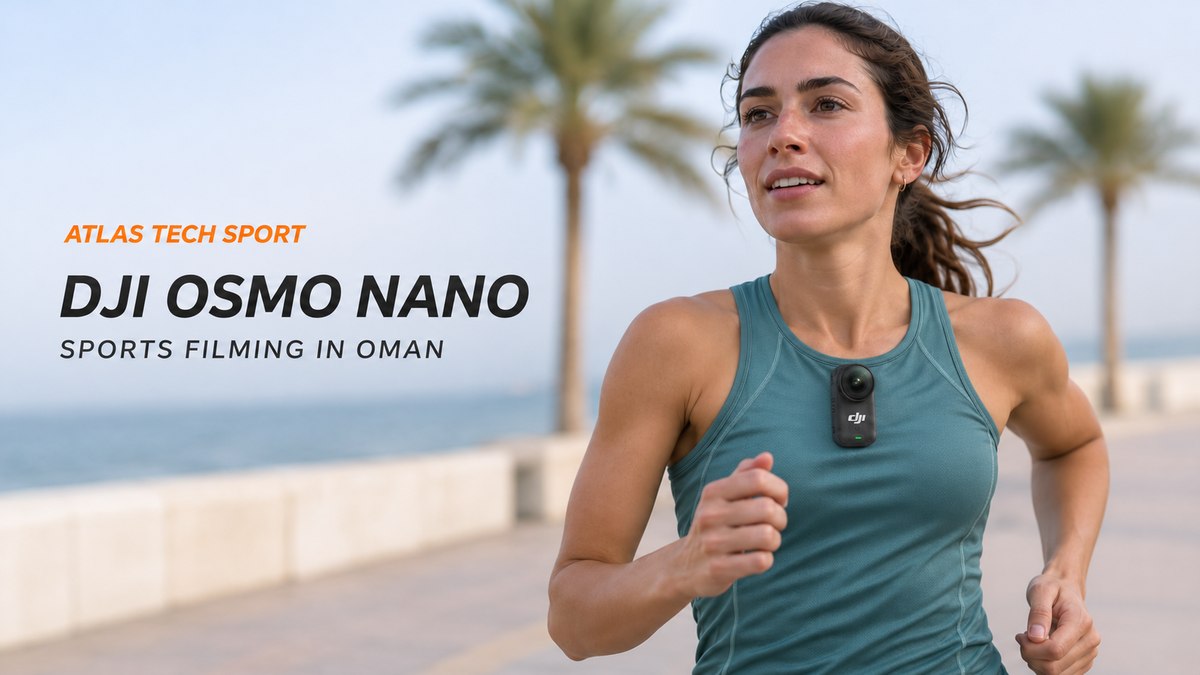
Cover illustration: DJI Osmo Nano worn for running. Detailed recording settings in this guide refer to Osmo Action 6 unless another model is named. The cover is an AI-generated editorial illustration based on real product references.
Manufacturer information checked 11 November 2026. Suggested filming settings are editorial starting points, not official DJI sport presets.